
The product
Your funnel, reconstructed from Salesforce — and finally trustworthy.
JourneyVision is a funnel-analytics platform for B2B revenue teams that reconstructs your full funnel from Salesforce — read-only — and lets anyone ask questions in plain English.
Connect once, read-only. JourneyVision rebuilds every trip through your funnel, flags the data problems distorting your numbers, and answers your questions in plain English.
Book a demoHowever you got here
Some teams build the custom Journey object, the Apex triggers, the BI layer — then spend forever maintaining it. Others scope that project, see the cost, and pass. Plenty never had the budget, or a clean way to solve it at all. The result's the same: no trustworthy view of the funnel. JourneyVision replaces every one of those paths — connect Salesforce read-only, and your funnel is reconstructed for you.
How it works
1
Connect
Grant JourneyVision read-only access to Salesforce — no custom objects, no Apex to write, nothing to configure beyond authorizing the connection. It's the same kind of OAuth grant you'd give any reporting tool.
2
Reconstruct
JourneyVision reads your Leads, Contacts, Accounts, Opportunities, and Campaigns and rebuilds every trip a person or account took through your funnel — the real sequence of stages, not a snapshot. This happens automatically and stays current as your Salesforce data changes.
3
Query
Explore the result as a funnel, a cohort, or an individual journey — or skip the dashboards entirely and ask the AI analyst a question in plain English. Every answer comes with a "Show your work" trace of the exact steps and data behind it.
Most teams are exploring their own funnel the same day they connect.
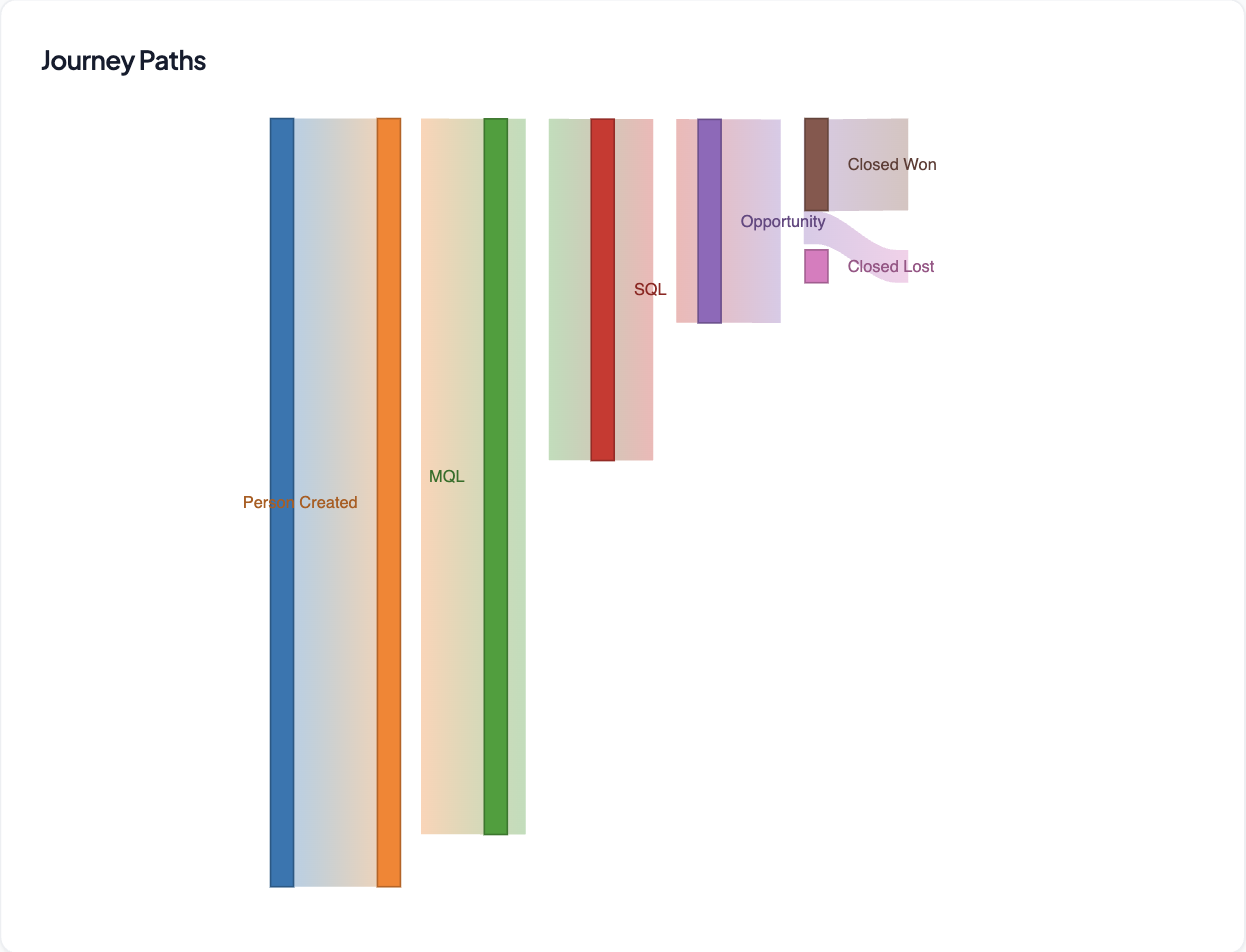
Every stage, every trip, from creation to closed-won.
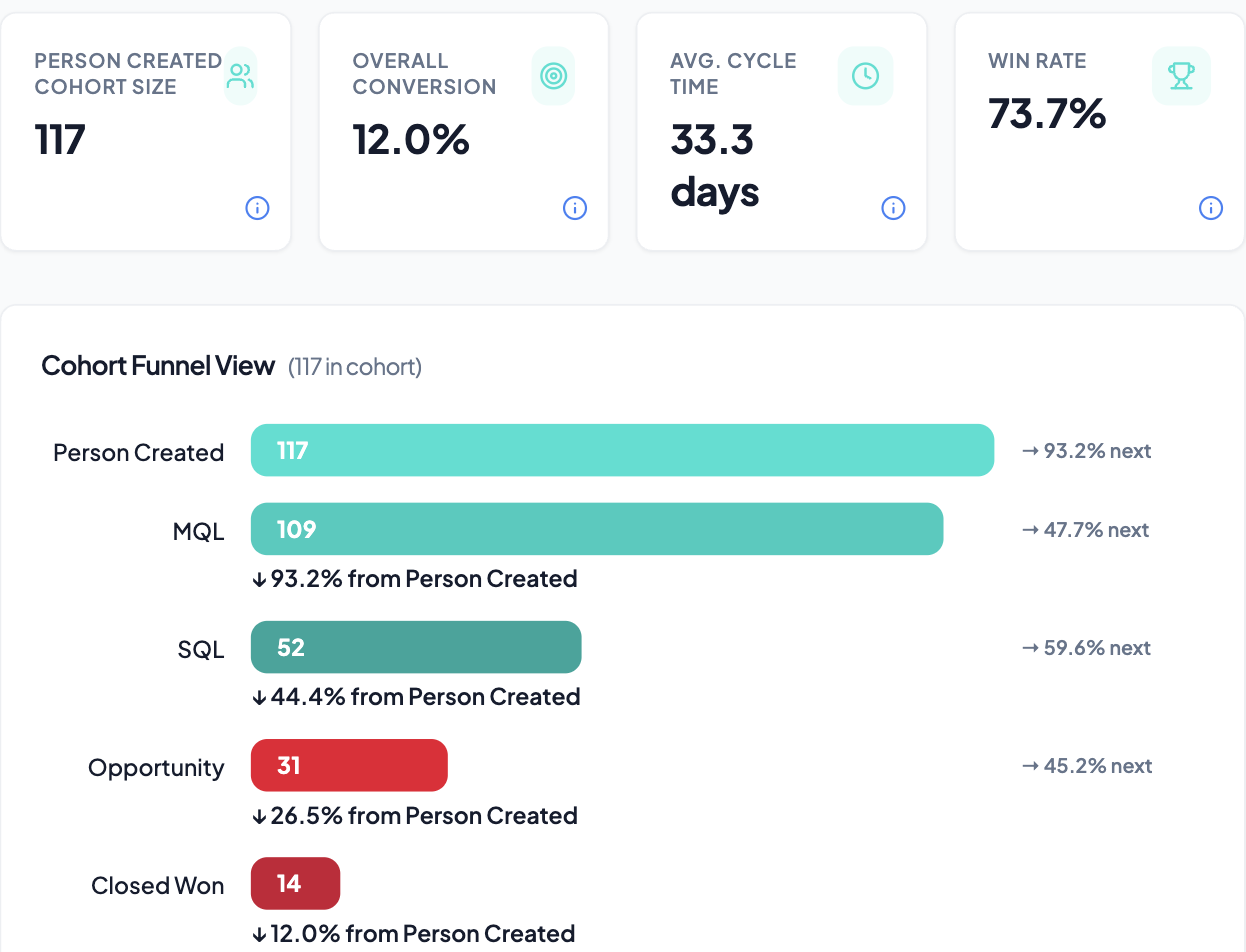
JourneyVision reads your Leads, Contacts, Accounts, Opportunities, and Campaigns and reconstructs the path each person and account took through your funnel. See it as a funnel (where conversion and velocity break down), a cohort (how a given month's leads actually progressed), or a full journey (the real sequence of stages behind a won — or lost — deal).
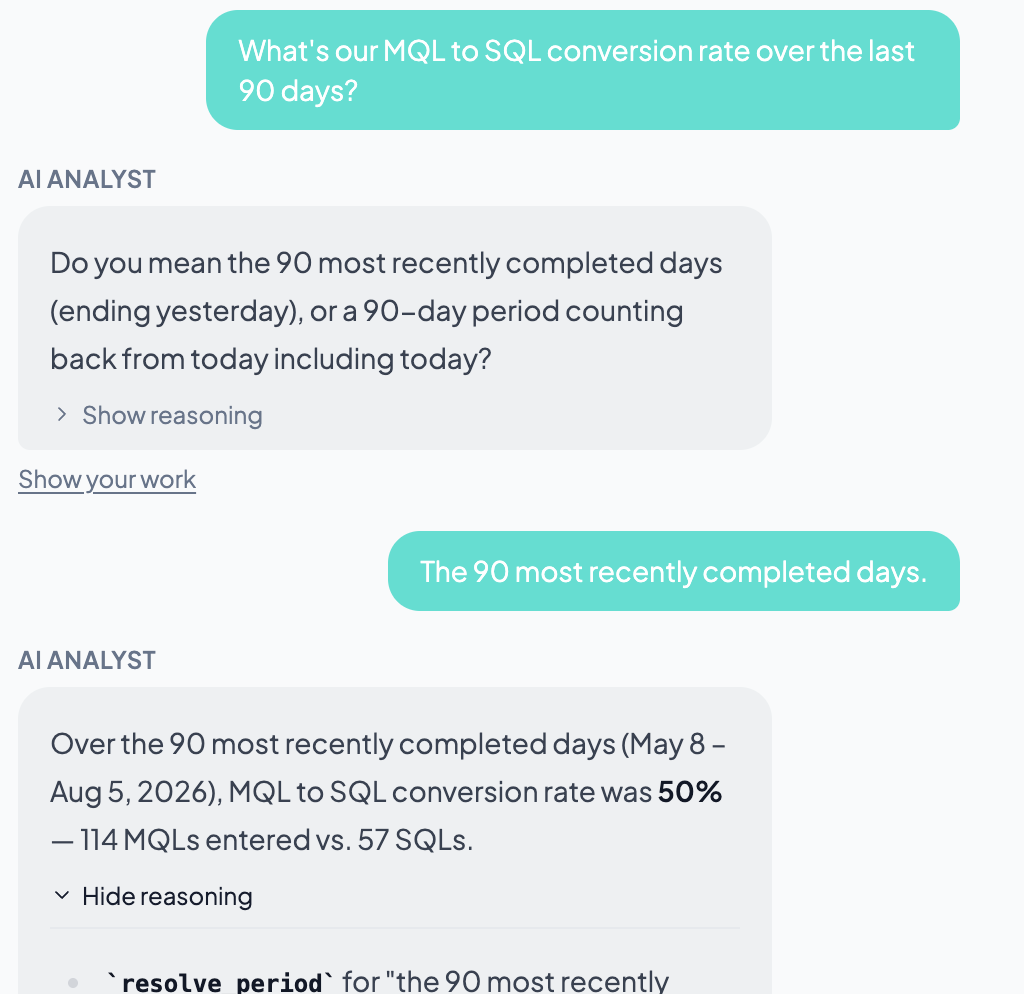
Ask your funnel anything. See exactly how it answered.
Type a question the way you'd ask a colleague — "What's enterprise MQL-to-SQL this quarter versus last?" — and get the number in seconds, with its work shown alongside: the exact steps it took and the data behind them. It's the speed of just asking, with the auditability of doing it yourself. No pivot tables. No black box. No waiting on the one person who knows the schema.
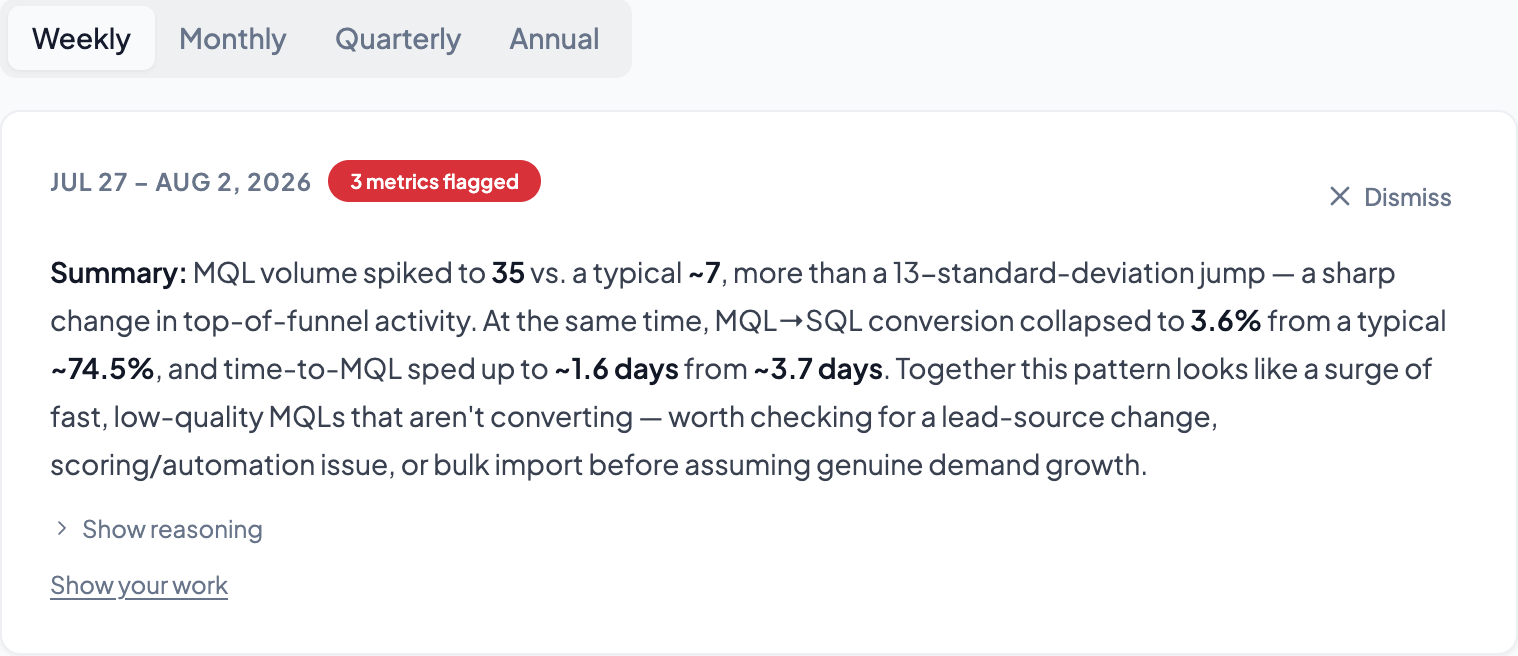
Know what broke before it becomes a surprise.
JourneyVision watches your funnel over time and flags meaningful shifts — a stage that suddenly stops converting, a source that dries up, hygiene that's quietly getting worse — so problems reach you as an alert, not as a question in a QBR.
Product questions
How does JourneyVision reconstruct my funnel from Salesforce? +
It reads your Leads, Contacts, Accounts, Opportunities, and Campaigns and rebuilds the exact path each person and account took through your funnel — stage by stage, from creation to closed-won or closed-lost.
What Salesforce data does JourneyVision need access to? +
Leads, Contacts, Accounts, Opportunities, and Campaigns — read-only. Nothing is ever written back, and you can revoke the connection from Salesforce at any time.
What's the difference between the Funnel, Cohort Funnel, and Journeys views? +
Funnel shows overall conversion and velocity by stage. Cohort Funnel tracks how one specific group (like a month's leads) actually progressed. Journeys shows the full, real sequence of stages behind any individual won or lost deal.
How does the AI analyst know what to answer? +
It queries your actual reconstructed funnel data and shows its work — the exact steps it took and the numbers behind them — alongside every answer, so you can verify it instead of just trusting it.
What does JourneyVision integrate with beyond Salesforce? +
Snowflake and BigQuery export (Pro plan), Slack alerts for anomalies (Pro plan), and SAML/SSO for enterprise identity management (Enterprise plan).
How long does it take to go live? +
Connect Salesforce with a read-only grant and you're exploring your reconstructed funnel the same day — no custom objects to create, no Apex to deploy, no BI project to staff.
Read-only. Live in an afternoon.
Connect Salesforce with a read-only grant, JourneyVision syncs and reconstructs your funnel, and you're exploring it the same day. No custom objects to create, no Apex to deploy, no BI project to staff.
Book a demo